Notifications – the centre, layers and settings
Where your notifications are, how the News, Thesis, Alerts and Other layers differ, how to filter them and how to set what comes by e-mail and how often.
Where it is
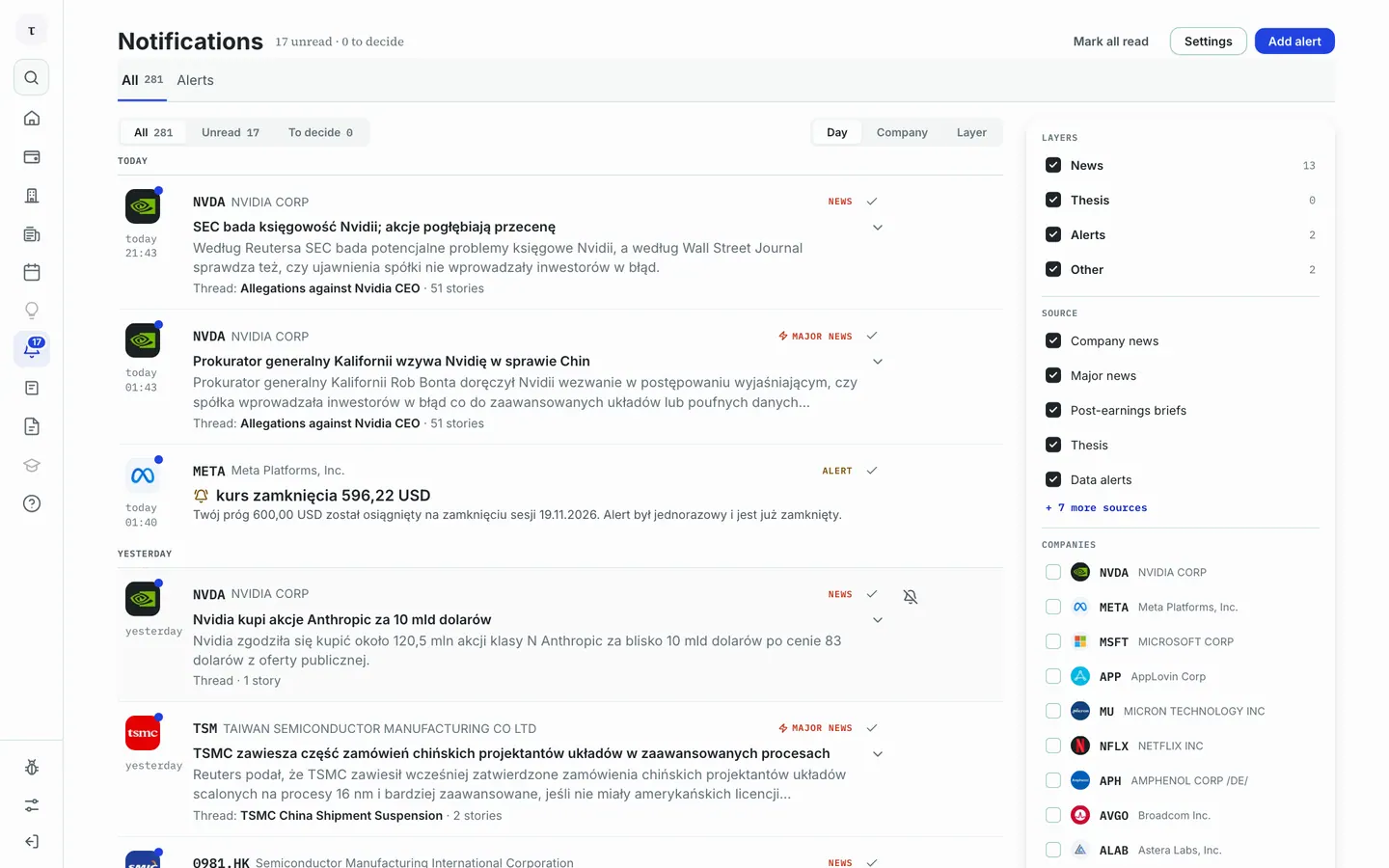
You open notifications with the bell in the menu on the left. The number on the bell is your unread entries. The page has two tabs: All and Alerts (the list of your alerts – see the "Alerts" article).
 12345
Step by step
- Click the bell in the menu. Under the heading you see "N unread · N to decide".
- The All tab is everything that reached you. The Alerts tab is the list of your alerts.
- Entries are grouped by Day (or by Company or Layer). Choose a state: All, Unread or To decide.
- In the panel on the right you narrow the list: Layers, Source and Companies.
- Mark all read marks entries as read. You mark a single entry with the tick beside it.
Layers and kinds
Every entry belongs to one of four layers:
- News – company news, Major news and post-earnings briefs.
- Thesis – moves in theses on companies.
- Alerts – your data alerts, descriptive alerts and followed portfolios.
- Other – reports, calendar, portfolio, account and support.
To decide are entries waiting for your confirmation. When nothing waits you see "Nothing to decide".
On an entry you can click Mute: you mute a layer for one company or everywhere. Muted entries do not count as unread and are dimmed, with an Unmute button.
What comes by e-mail
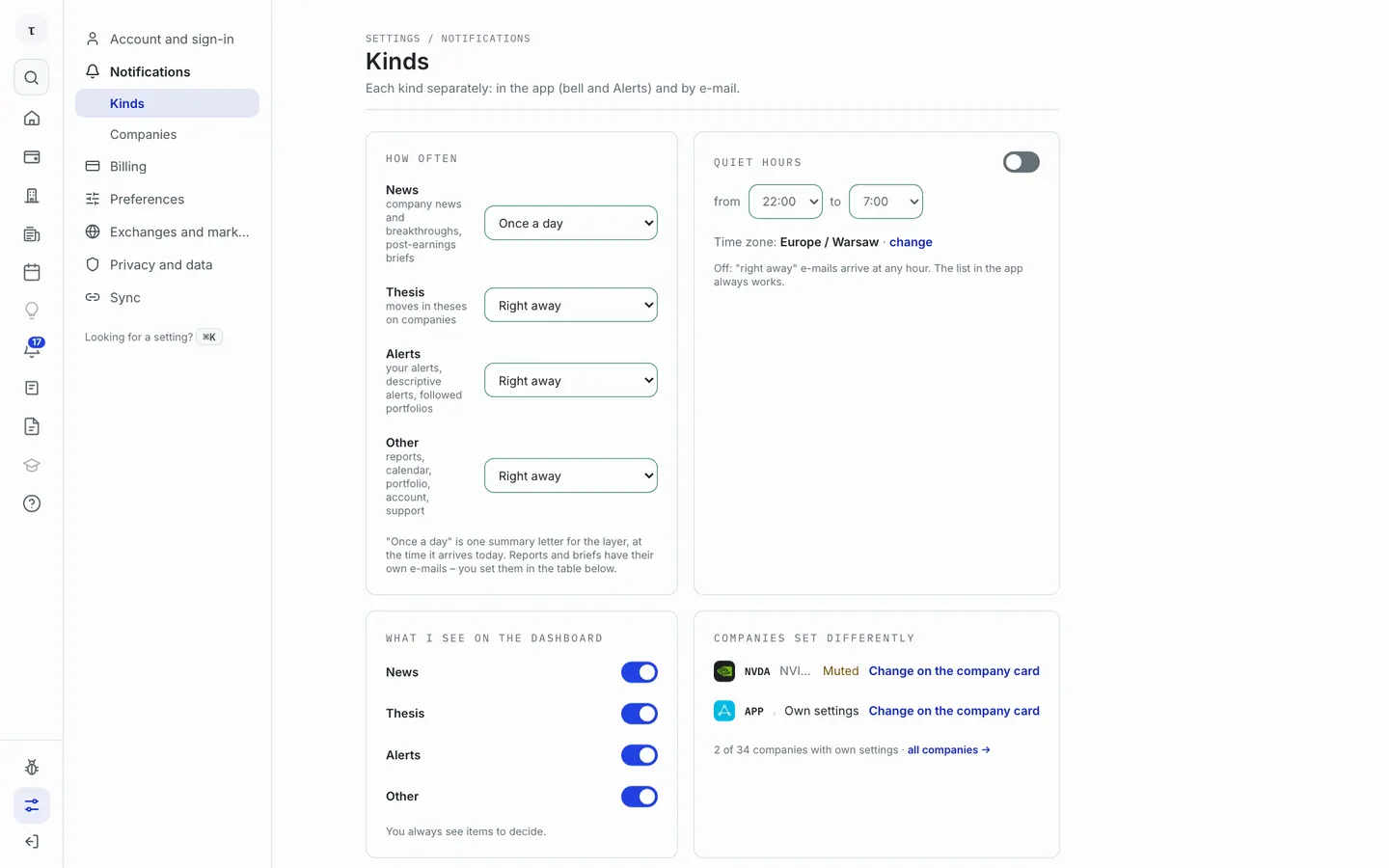
You set e-mails here: Settings in the centre's header opens Settings, section Notifications → Kinds.
 12
- How often – for each layer separately, e-mail: Right away, Once a day or Off. "Once a day" is one summary letter for the layer.
- Quiet hours – during the chosen hours "right away" e-mails wait until they end. The list in the app always works.
Below is a table of notification kinds with the columns App and E-mail, and above it ready-made sets: Essentials, Everything, In the app only, Reports and briefs only. Two rows of the table decide about Major news: Highest impact and + Medium and low impact.
Frequently asked questions
Why did I get no e-mail when the entry is in the app? Check in Settings that e-mail is not Off for that layer and that quiet hours are not running.
I changed the settings and the e-mail came the old way. A company with its own setting keeps it – check "Which companies differ".
Try it yourself
Follow this guide on your own portfolio
Create a free account, add a portfolio, and every screen in this guide works on your own holdings.